Did I lock the back door?
Checked at 9:42 PM, with a photo
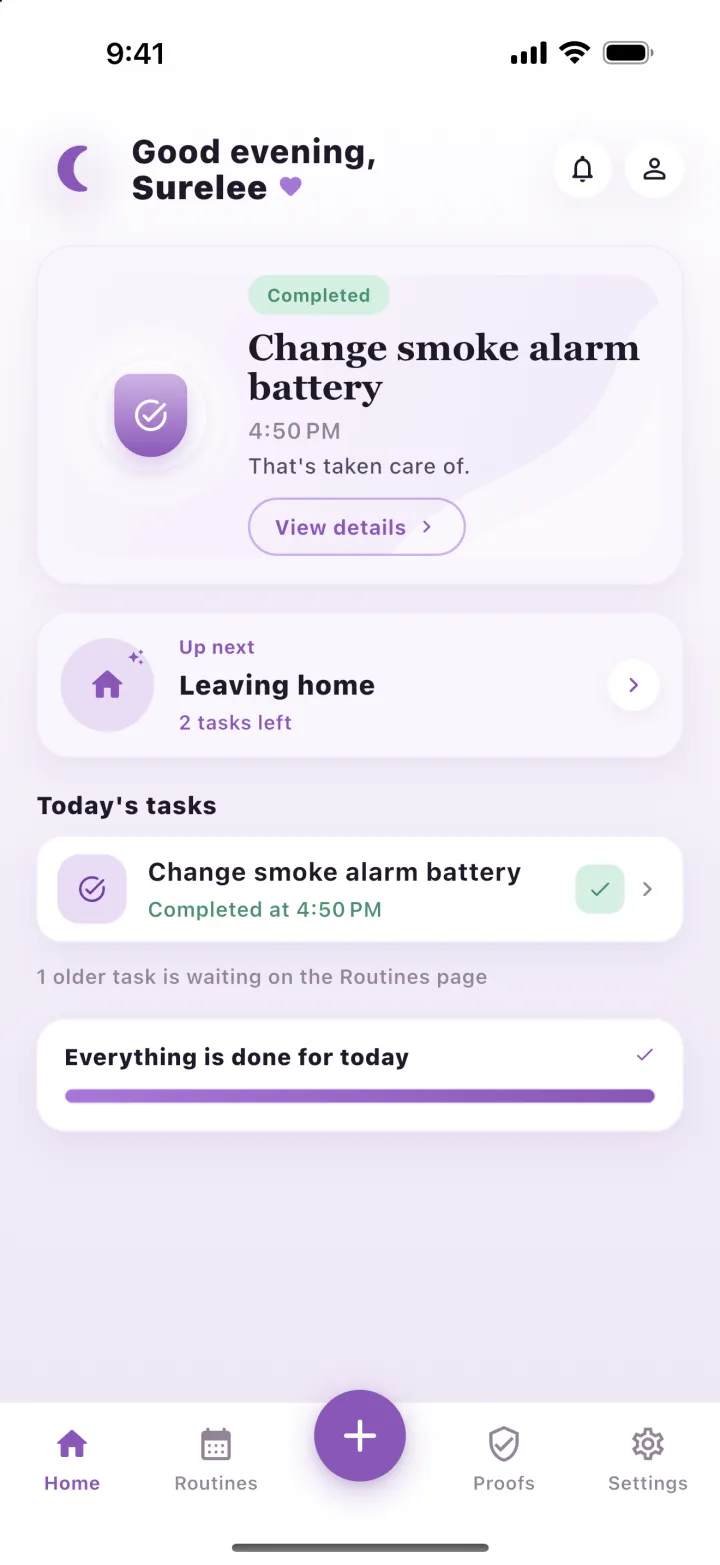
Surelee turns the checks you worry about into short routines: locking up at night, the stove before you leave, the dog's medicine. A gentle reminder when it's time, a quick check when it's done, and a photo if you want one.
Coming soon to the App Store
Free on iPhone. No account needed.
How it works
Set up your routines in just a few minutes, then let Surelee keep track for you.
-
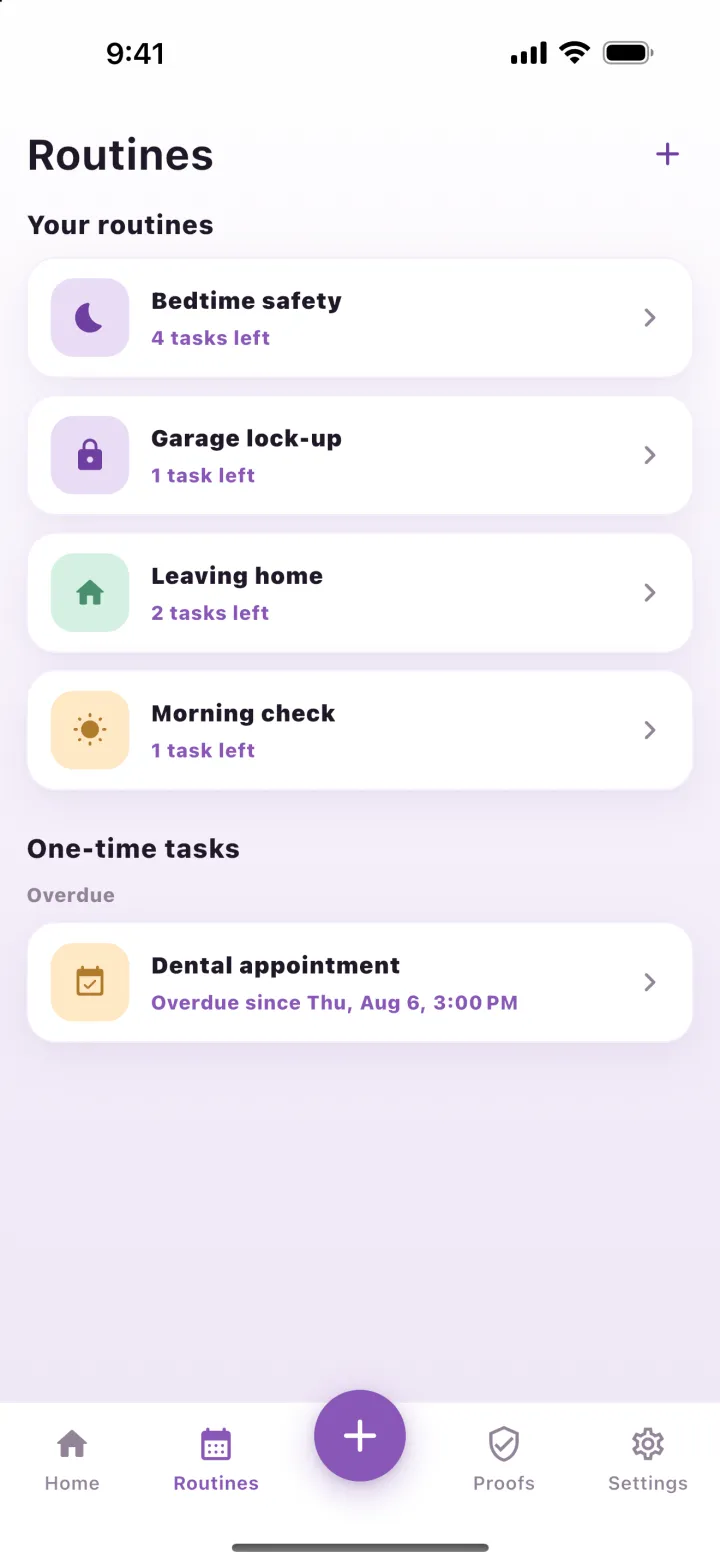
Pick a routine
Start with Bedtime safety check, Leaving-home checklist, or Pet check, or create your own. Each routine is made up of a few simple tasks.
-
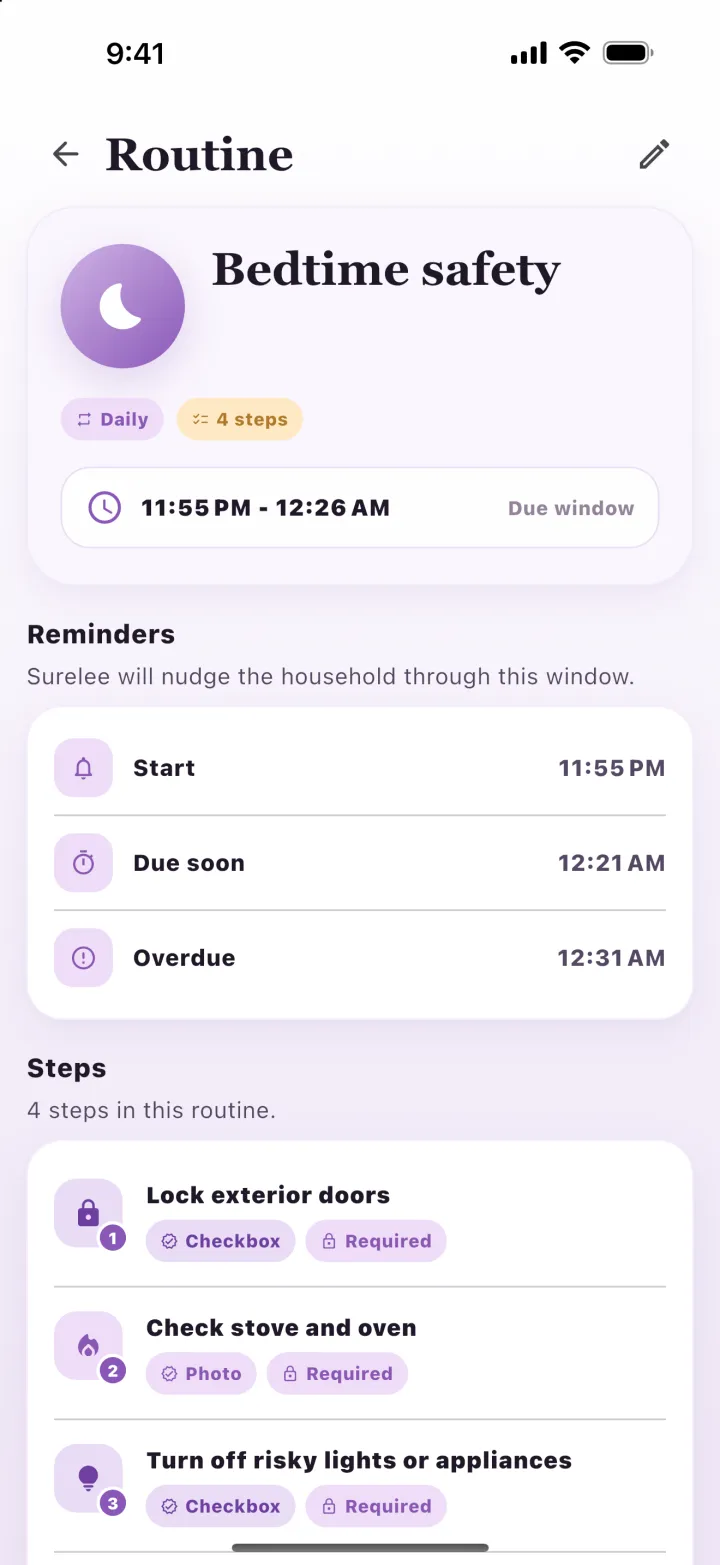
Get a gentle reminder
Surelee reminds you when it's time, and again when it's nearly due. A task can have its own reminder too, such as 10 minutes before.
-
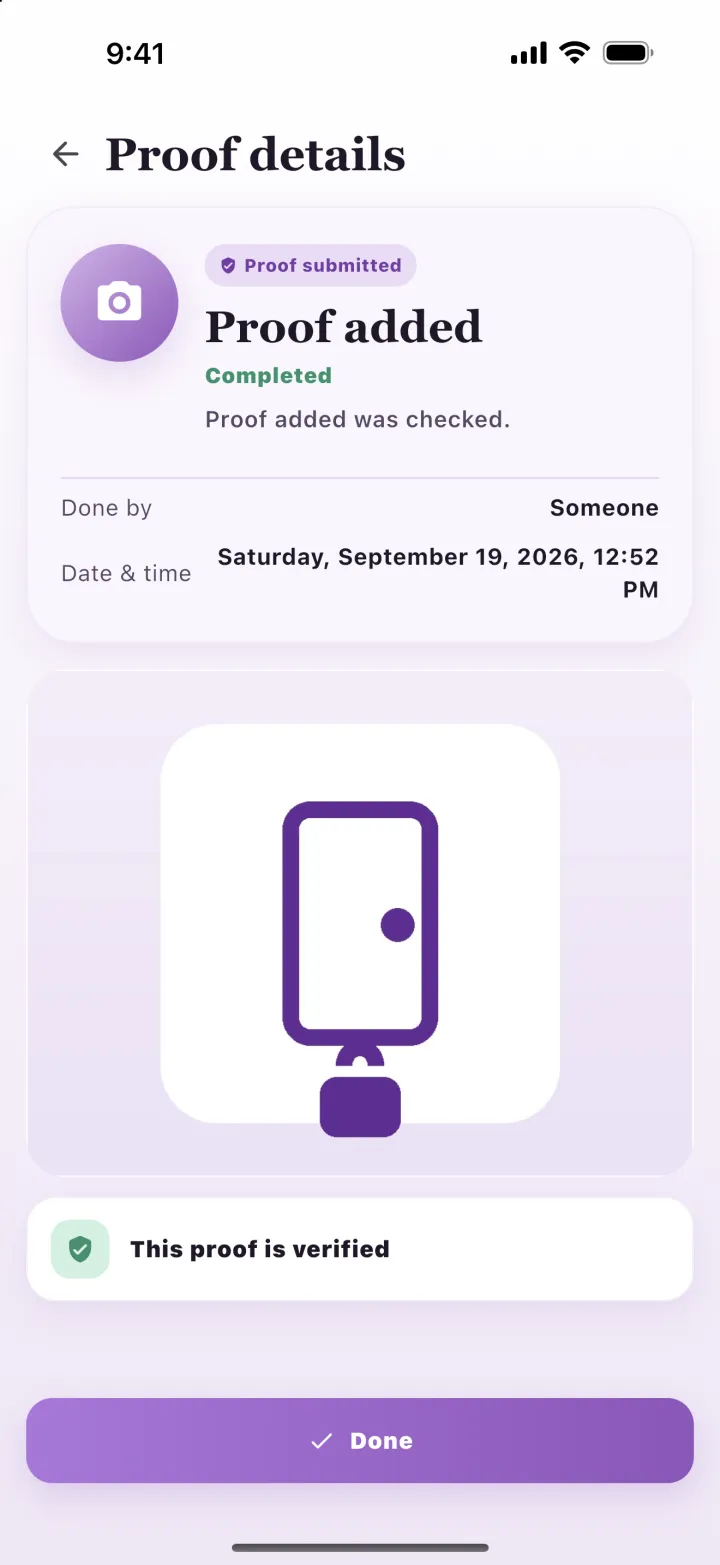
Check it off
Hold each task for a moment to check it off as you go. Add a photo or a short video when you want proof you can look back on.
Your home stays on your phone
Surelee is built to work without us. Your routines, reminders, and proof content stay on your device unless you choose to sync. Limited technical or subscription information may be processed as described in our Privacy Policy.
No account needed
Routines, reminders and proofs are designed to work offline, on your phone.
Sync only if you want it
With Premium, cloud sync keeps your devices in step. Without cloud sync, your routines, reminders, and proof content are not uploaded to your Surelee account.
Private photos
Proof photos and videos stay on your phone, and with sync, in private, access-controlled storage associated with your account.
Delete your account, anytime
Deleting your account in the app removes your account and synced data from our active systems. Some information may remain temporarily in service-provider backups or logs as described in our Privacy Policy.
Questions
Do I need an account?
No. Surelee’s core local features work on your phone without an account. An account is only for cloud sync.
Does it work without internet?
Yes. Routines, reminders and proofs are designed to work offline.
Who can see my photos?
Your photos stay on your device unless you turn on cloud sync. If cloud sync is enabled, they are also stored in private, access-controlled cloud storage associated with your account. They are not end-to-end encrypted. See our Privacy Policy for more details.
What does it cost?
Surelee is free. Premium adds cloud sync, video proof and extra themes, and you can cancel it anytime in your App Store or Google Play account.
Is Surelee available on Android?
Android support is planned. There is no Android download available yet.
How do I delete my data?
In the app, under Settings. Here's exactly how, and what happens to your data.
Get Surelee
Free on iPhone, and ready in a minute. No account needed to start.
Coming soon to the App Store
Point your iPhone's camera here